
Clip Tool for Ableton Live 12 Suite (beta)
Clip Tool
A free audio clip editor for Ableton Live. Trim, clean up, fade, pitch, stretch or fold to mono, right on the clip.
Free Open source, MIT Ableton Live extension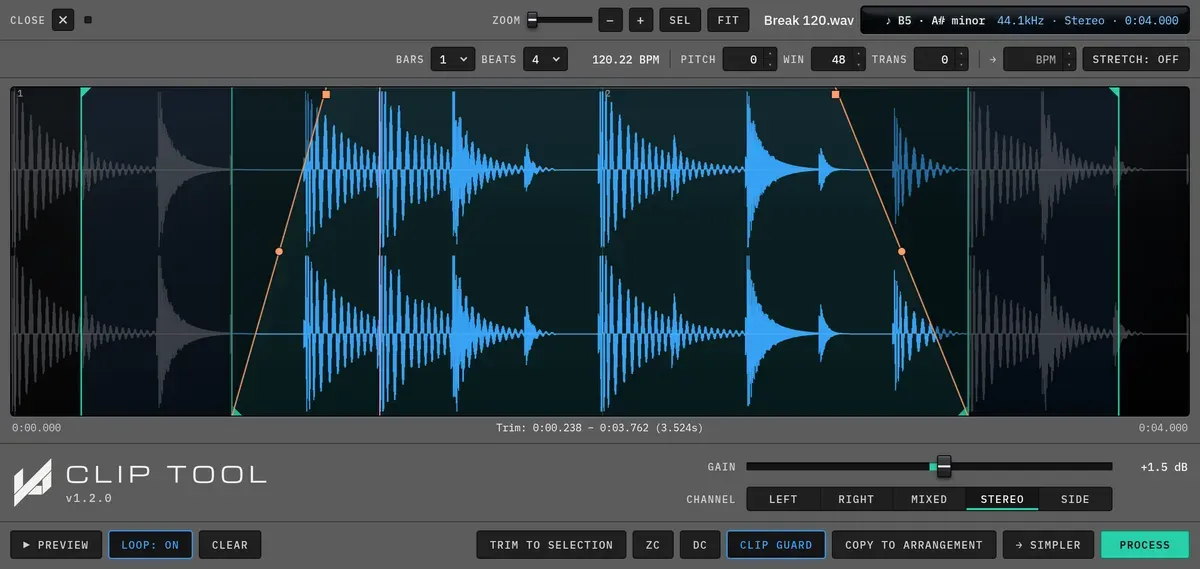
The Clip Tool editor with a loop region and fades on a drum break.
| Product | Clip Tool |
| Version | 1.2.0 |
| Platforms | macOS, Windows |
What Clip Tool is for
Section titled “What Clip Tool is for”Right-click a clip to edit its actual audio inside Live, and see every change on the waveform before you commit it. Your original sample is never touched.
Live’s audio effects sit on the channel: you cannot see them on the clip’s waveform, and to make them permanent you bounce or render the track. Clip Tool works the other way round. It edits the audio in the clip and bakes the result into a new sample you can see and hear.
It also closes a gap. Sampler prep, meaning DC removal, zero-crossing trims, fades, a loop-safe stretch and folding stereo to mono, usually means bouncing out and hoping. Clip Tool does it in place, on the clip, without leaving Live.
In this manual
Section titled “In this manual”What it runs on
Section titled “What it runs on”| Format | Ableton Live extension (.ablx) |
| Host | Ableton Live 12 Suite beta, version 12.4.5 or later. Extensions are not in Live Standard, Intro or Lite, or in the release version of Live yet. |
| Platforms | macOS and Windows, wherever the Live 12 Suite beta runs |
| Version | 1.2.0, 10 October 2026 |